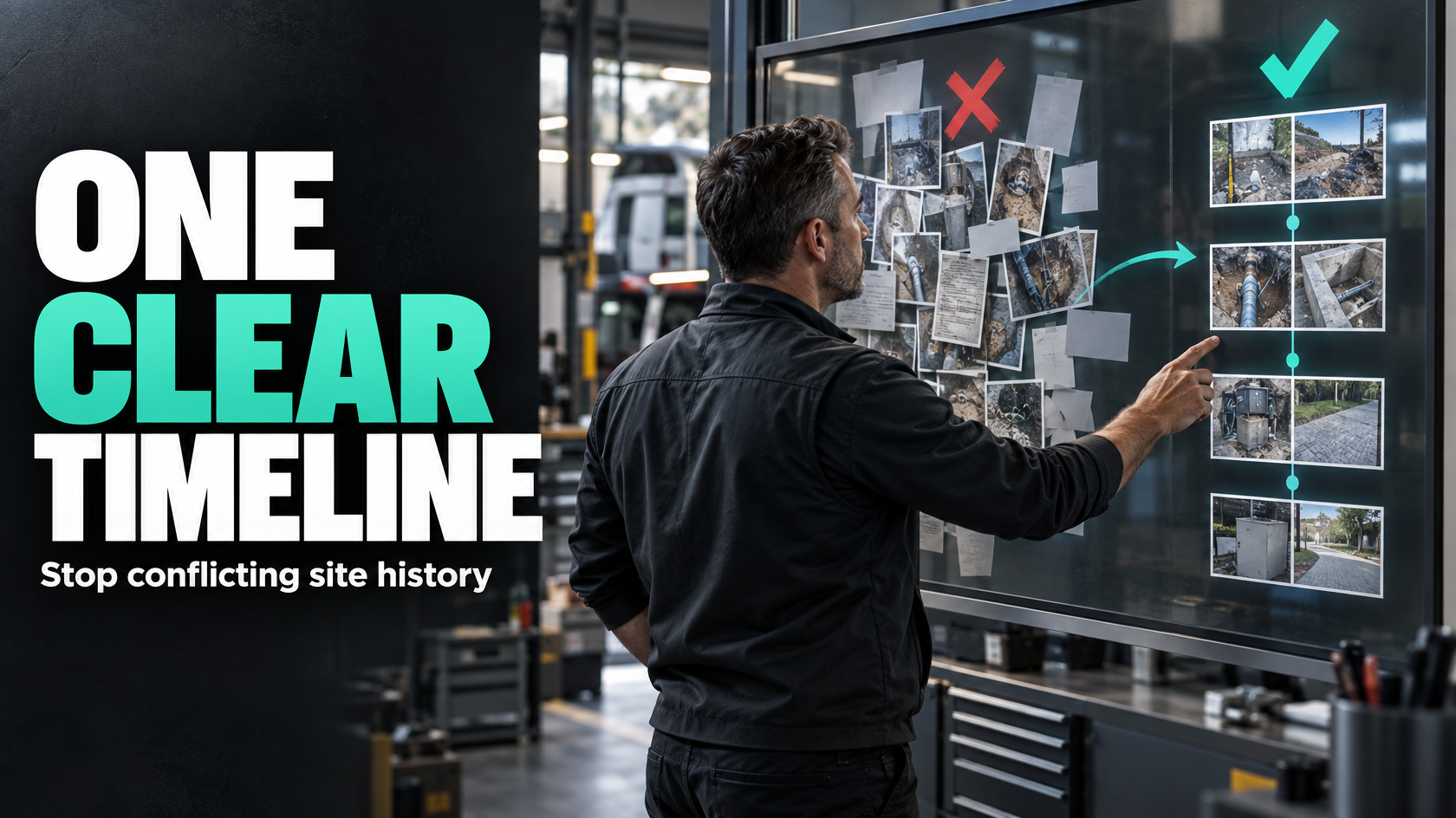
The problem is not too many notes and photos. It is lost context.
On jobs that span multiple site visits, evidence tends to accumulate faster than clarity.
One technician uploads a few photos on day one. Another adds notes three days later. A subcontractor attends the following week and attaches more images. Someone in the office tries to work out whether the damaged conduit was already there, whether the defect was fixed, whether the customer approved extra work, and which visit actually produced the chargeable variation.
At that point, the issue is not simply that photos and notes exist in different places. The issue is that the business can no longer trust the context around them.
That creates practical problems:
- quoting teams price from outdated site conditions
- operations staff misread what has already been done
- invoicing misses extras because the supporting evidence is unclear
- disputes drag on because nobody can reconstruct the sequence properly
- managers rely on phone calls and memory to understand the job history
If a job involves repeated visits, multiple attendees or changing stages of work, field evidence needs structure. Otherwise the record becomes a pile of attachments with no reliable story.
Why conflicting records appear so often on multi-visit jobs
Most businesses do not deliberately design a bad site-history process. The problem usually comes from treating all notes and photos as generic job attachments.
That works tolerably well on a simple one-visit job. It breaks down once the same site is attended multiple times by different people.
Everything gets stored at the job level
If every photo and note is attached to the overall job, the record loses the event that produced it.
A job may run for weeks. During that time:
- access conditions may change
- defects may be partly resolved
- different areas may be worked on
- temporary fixes may be installed
- new issues may be discovered
- customer instructions may change
When evidence is stored only against the job, later readers have to guess which visit each record belongs to and what it was meant to show.
Notes are written for the person creating them, not the next person using them
A field note like “left as discussed” or “photos attached” may make sense to the person on site at the time. It is nearly useless later.
The office team, the next technician, the quoting team and the invoicing team all need different things from the record, but none of them were present when the note was written.
Unstructured records force everyone downstream to interpret incomplete information.
Photos are treated as proof without defining what they prove
A photo by itself is not operationally meaningful.
It might show:
- pre-existing damage
- completed work
- a defect requiring return attendance
- a safety issue
- a variation trigger
- access limitations
- missing materials
- customer-supplied conditions
If that meaning is not captured when the photo is taken or uploaded, the image becomes weak evidence. People can see something happened, but not necessarily what, when, why or by whom.
A better model: separate the job history from the visit history
The cleanest fix is to stop treating all evidence as one undifferentiated job record.
You need two levels of history:
Job-level history
- the overall record of the job
- core customer, site and scope information
- major status changes
- approved variations
- overall job outcome
Visit-level history
- each attendance as its own event
- who attended
- when they attended
- what they were there to do
- what they found
- what changed
- what evidence belongs to that visit
This distinction matters because a job is not one event. It is a container for multiple events.
Once you model it that way, the record becomes much easier to follow.
Instead of seeing twenty-seven photos and eight notes attached to one job, you see:
- Visit 1: inspection and fault identification
- Visit 2: temporary repair
- Visit 3: return with parts
- Visit 4: final testing and close-out
Now the chronology starts to make sense.
Every note and photo should answer a few basic questions
For evidence to stay useful across time, it needs to carry enough context that someone else can trust it later.
At minimum, a record should answer:
- which job does this belong to?
- which visit does this belong to?
- who created it?
- when was it created?
- what part of the site, issue or work stage does it relate to?
- is it showing a problem, progress or completion?
That does not mean forcing technicians to write essays on site. It means deciding what minimum structure is required so the record is still usable later.
A photo with a timestamp alone is not enough if nobody knows whether it was taken before work, after work, or to document a variation.
A note with the technician’s name alone is not enough if nobody knows whether it refers to the switchboard, the roof unit or the rear boundary trench.
Use context labels so evidence can be filtered, not just viewed
One of the main reasons multi-visit records become confusing is that all evidence is treated as free text or general media.
The fix is to require a small number of context labels at the point of capture.
These labels should reflect how the business actually needs to retrieve and use the information later.
Useful labels often include:
- visit type: inspection, install, return visit, defect attendance, finalisation
- work stage: pre-work, in progress, completed, testing, rework
- issue type: damage, fault, access problem, variation, safety issue, customer request
- area: plant room, roof, level 2, kitchen, switchboard, rear fence line
- evidence purpose: quote support, progress record, completion proof, variation proof, defect record
- responsible party: technician, subcontractor, supervisor, customer-supplied constraint
The point is not to create an elaborate taxonomy for its own sake. The point is to stop evidence becoming impossible to sort once the job gets messy.
If an office coordinator needs to find all photos showing a variation condition discovered during Visit 2, that should not require scrolling through a mixed gallery and reading every note manually.
Preserve chronology when multiple people attend the same job
Conflicts often appear because records are stored in whatever order they happen to be uploaded, not the order events occurred.
That sounds minor until you are trying to answer questions like:
- Did the damage exist before the second contractor attended?
- Was the issue identified before the quote revision?
- Did testing happen before the site was handed over?
- Was the defect note written before or after the temporary repair?
If chronology is unclear, later decisions become shaky.
A reliable record should preserve:
- attendance start and finish time
- who attended that visit
- the sequence of notes within that visit
- the sequence of photos within that visit where relevant
- whether the evidence was captured on site or uploaded later
- any follow-up action triggered by that visit
This is especially important when several people attend the same site on the same day. Without clear attribution and sequence, the record collapses into “someone said something and some photos were uploaded”.
That is not a defendable operational record.
Make evidence usable beyond the field team
A common design mistake is building note and photo capture around the field worker only.
But site history is rarely consumed by one person.
The same evidence may need to be used by:
- the scheduler planning the next visit
- the service manager reviewing job progress
- the estimator preparing a quote for rectification or additional works
- the accounts team checking whether a variation can be invoiced
- the project manager resolving a dispute
- the customer service team answering client questions
If those teams cannot access the evidence in a meaningful way, the business still ends up with phone calls, screenshots, forwarded emails and guesswork.
Good structure makes field evidence operationally useful across the whole workflow.
That usually means the office should be able to see, at a glance:
- each visit in order
- who attended
- what was found
- what was completed
- what remains open
- what evidence supports each point
- whether the evidence relates to base scope, defect or variation
Define what must be captured and what is optional
One reason field records become inconsistent is that nobody has decided what is mandatory.
If everything is optional, the record quality depends entirely on individual habits. One technician writes detailed notes. Another uploads ten photos and no explanation. A subcontractor sends material by text after the fact. The office then tries to assemble a job history from fragments.
A better approach is to define a minimum capture standard for repeat-visit jobs.
For example, each visit might require:
- attendee name
- attendance time
- visit purpose
- work stage reached
- outcome status
- any issue requiring follow-up
- labelled supporting photos where relevant
Then optional detail can sit on top of that:
- extra observations
- additional reference photos
- customer comments
- internal technical notes
- low-priority context that may still help later
This balance matters. If you require too much, people work around the process. If you require too little, the record stops being dependable.
The aim is not maximum data collection. It is consistent evidence that supports the next decision.
The record should show change over time, not just a pile of evidence
Repeated visits usually mean something is evolving.
A fault is being diagnosed. A staged install is progressing. A defect is being rectified. A variation is emerging. A partially completed job is waiting on parts or approvals.
Your records need to make that progression visible.
A strong multi-visit history should help someone understand:
- what the original issue was
- what was found on each visit
- what changed after each attendance
- what is still unresolved
- what the current site condition appears to be
- what evidence supports that view
This is different from simply storing attachments.
For example, a useful record might show:
- Visit 1 identified water damage in the ceiling void and recommended further access
- Visit 2 opened the area and confirmed cable damage
- Visit 3 completed temporary isolation and made the site safe
- Visit 4 replaced damaged sections and completed testing
- Visit 5 returned for cosmetic reinstatement
That sequence is operationally useful. A mixed list of images and disconnected notes is not.
Common mistakes that make the record unreliable
There are a few patterns that repeatedly create trouble on multi-visit jobs.
Mixing permanent job facts with visit observations
The customer address, approved scope and job reference belong at the job level. A technician’s note about what happened on Tuesday afternoon does not.
When these are mixed together, important information gets buried and temporary observations start looking like enduring job facts.
Letting people overwrite the narrative
If a later attendee updates the job note with their own interpretation, earlier context can be lost.
A visit record should add to the history, not rewrite it.
Using free-text notes as the only structure
Free text is valuable, but not as the sole organising method.
If everything depends on someone writing a clear note every time, the process is fragile from the start.
Storing all photos in one gallery with no purpose
A large photo set with no labels usually creates more admin, not less. People can see the images exist, but still need someone to explain them.
Failing to connect evidence to downstream actions
If a variation photo does not trigger quote review, or a defect photo does not create a follow-up task, then evidence is being captured without driving the process.
That usually means staff still rely on memory, inboxes or verbal handovers.
What good looks like in practice
A workable system does not need to be overly complex, but it does need clear rules.
For a multi-visit job, good operational structure usually looks something like this:
At the job level
The overall job record contains:
- customer and site details
- job scope
- current overall status
- key approvals or variations
- linked visit records
- major commercial milestones such as quote approved, work completed, ready to invoice
At the visit level
Each attendance creates its own record containing:
- date and time
- attendee or attendees
- reason for visit
- stage of work
- structured notes
- labelled photos
- issues found
- actions completed
- next required action
- whether follow-up is needed
At the evidence level
Each photo or note is tied to context such as:
- visit
- issue
- stage
- area
- author
- timestamp
- purpose
That structure gives the business a usable history without forcing every piece of information into the same bucket.
Technology can help, but only if the workflow is already clear
This is not mainly a software problem.
You can have decent software and still produce unusable job history if nobody has decided:
- what a visit record is
- what must be captured on each attendance
- how evidence is labelled
- which details belong at job level versus visit level
- who is responsible for review and follow-up
Once those rules are clear, software can support them through:
- structured forms
- required fields
- timestamped records
- linked photo uploads
- role-based visibility
- automated handover tasks
- status-driven follow-up
But if the workflow is vague, more software usually just creates a larger pile of badly organised evidence.
The goal is not “attach more photos”. The goal is a site history that can be trusted by the people making operational and commercial decisions.
Start by designing the record around the decisions it needs to support
A practical way to improve this is to work backwards from the decisions your team needs to make.
Ask:
- What does the next technician need to know before attending?
- What does the quoting team need to confirm a variation?
- What does accounts need to support invoicing?
- What does management need if a dispute arises?
- What evidence needs to survive beyond the memory of the person who attended?
Those questions usually reveal the missing structure quickly.
If the answer is currently “someone has to call the technician to explain the photos”, then the record is not doing its job.
Clear site history is a systems design issue
Conflicting job notes and photos are usually a symptom of a deeper design problem. The business is capturing evidence, but not defining the structure that makes the evidence usable across time, people and decisions.
On multi-visit jobs, the difference between chaos and clarity is usually not whether photos were taken. It is whether the record preserves context.
That means separating job history from visit history, attributing evidence properly, preserving chronology, using meaningful labels, and deciding what must be captured every time.
When that structure is in place, notes and photos stop being a burden to sort through. They start supporting quoting, troubleshooting, invoicing and dispute resolution the way they should.
If your jobs involve repeated attendances, multiple teams and handovers between field and office, it is often worth mapping how evidence moves through the workflow before trying to automate it. That is the kind of operational design work 5M Consulting helps businesses think through.