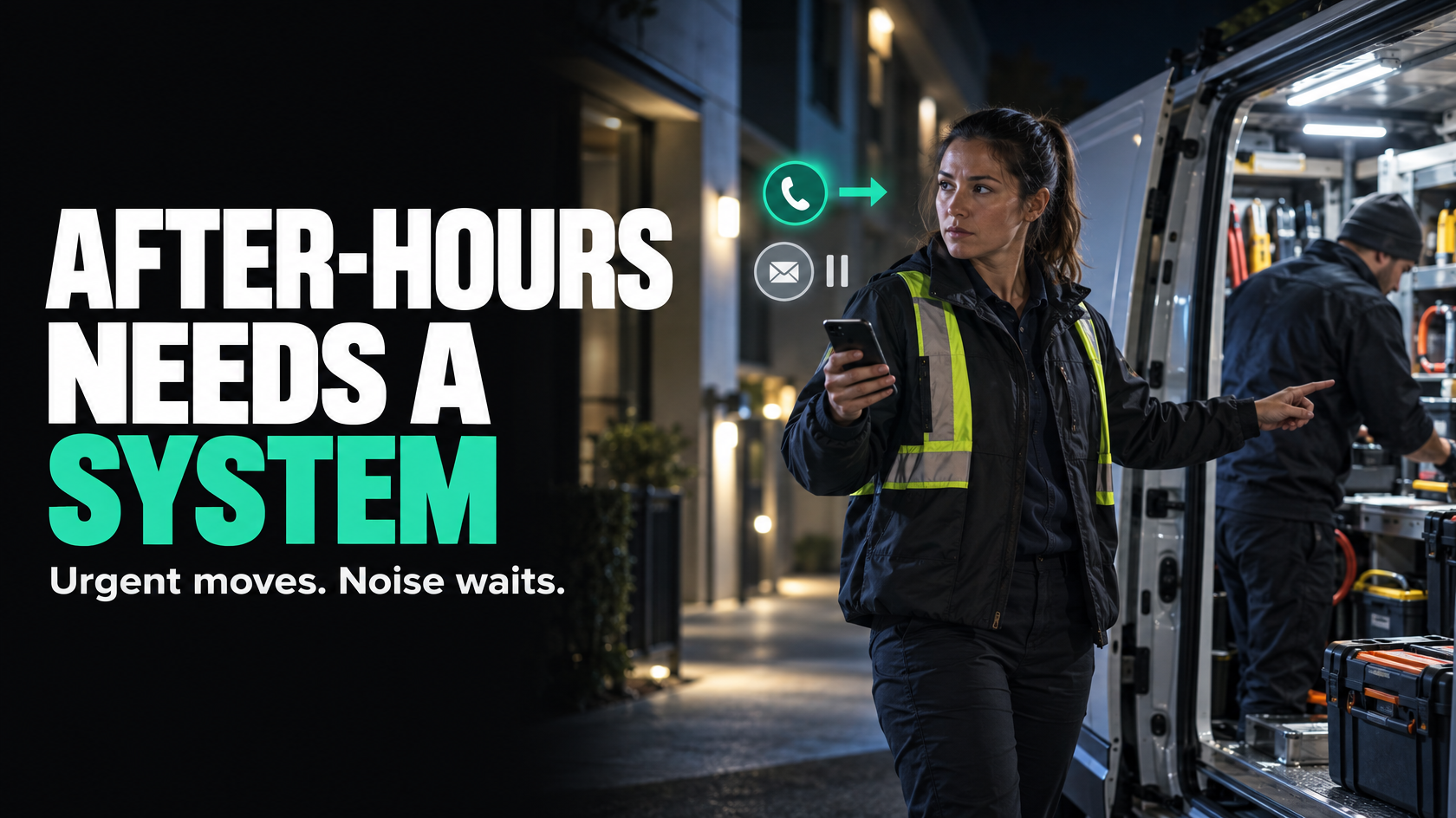
The problem is not just answering after-hours contact
Most businesses with after-hours work do not actually have an answering problem. They have a workflow problem.
A customer calls at 8:30 pm. A tenant sends a text about water coming through the ceiling. A site supervisor leaves a voicemail about a failed access system. Someone on the team sees it, makes a judgement call, maybe rings someone else, maybe writes it down, and maybe remembers to tell the office in the morning.
That can work for a while, especially when the same reliable people keep carrying it. But it is fragile. Requests get missed, the wrong person gets called, the on-call technician turns up without enough context, or the day team starts work with half the story and no clear record of what happened overnight.
If after-hours operational requests matter to your business, they need a defined intake and triage workflow. Speed matters, but clarity matters more. A quick response to the wrong issue, with incomplete information and no ownership, is not a good system.
Start by separating urgent work from everything else
The first design decision is simple: not every after-hours contact deserves the same path.
If you treat every call, text, web form and voicemail as an emergency, you create noise, burn out your on-call team and train customers to bypass normal channels. If you treat everything as something the office can sort out tomorrow, genuinely urgent work gets delayed.
The workflow needs two distinct paths:
- urgent operational requests that may require immediate action
- non-urgent enquiries that should be captured properly and handed to the daytime team
This sounds obvious, but many businesses never define it clearly. Instead, urgency gets decided ad hoc by whoever notices the message first.
A better approach is to define what qualifies for after-hours response in operational terms. For example:
- immediate safety risks
- active water ingress
- total loss of essential service
- security breaches
- site access failures preventing critical work
- breakdowns affecting live operations
Then define what does not require after-hours action:
- general pricing questions
- routine booking changes
- non-urgent defects
- follow-up requests
- standard admin queries
- issues that can wait until the next business day without operational impact
The point is not to create a perfect universal list. It is to remove ambiguity so people are not inventing the rules in the moment.
Why after-hours requests get lost or handled inconsistently
The visible problem is usually framed as missed calls or slow response. The underlying issues are usually more structural.
Common failure points include:
- no single intake point for after-hours requests
- no defined urgency criteria
- no required information capture
- no clear on-call ownership
- multiple channels creating fragmented records
- no audit trail of who responded and when
- no formal handover into the daytime workflow
- no rule for what happens if the first escalation fails
This is why businesses can appear responsive and still be operationally disorganised. Someone may answer the phone quickly, but if the job details live in a text thread, a voicemail inbox and one person's memory, the process is still weak.
A good after-hours workflow should not depend on the right staff member happening to be available and remembering what to do.
Design the intake before you think about tools
Before choosing software, call routing or automations, decide what must happen every time an after-hours request arrives.
At minimum, the workflow should answer these questions:
- Is this urgent or non-urgent?
- Who owns triage?
- What information must be collected before action is taken?
- Who is authorised to escalate?
- Who is on call for each request type?
- What happens if there is no answer?
- Where is the request recorded?
- How does the daytime team see the full history in the morning?
If these rules are unclear, no platform will fix the problem. You will just have a faster way to create confusion.
Define the required intake fields for every after-hours request
The quality of the after-hours response depends heavily on what gets captured at intake.
If the on-call team receives a message saying "customer has an urgent issue, please call back", they are immediately starting with missing context. That creates delay, back-and-forth and bad decisions.
Your after-hours workflow should require a consistent minimum data set. In most operations-heavy businesses, that includes:
- caller or contact name
- business or site name
- phone number
- site address or location
- asset, job or service reference if known
- description of the issue
- when the issue started
- operational impact
- safety or security risk
- whether the site is accessible now
- photos or supporting documents if relevant
- preferred callback contact
- timestamp of original contact
- intake channel, such as phone, SMS, email or form
For urgent requests, it is often also useful to capture:
- whether the issue is getting worse
- whether temporary containment is in place
- whether another contractor has already attended
- whether customer approval is required before attendance
- any site-specific access instructions
This is not about collecting data for the sake of it. It is about making the next action possible without unnecessary chasing.
If the on-call technician has to ring back just to find out the address, whether the power is off entirely, or whether someone is actually onsite to provide access, the workflow is incomplete.
Create clear urgency rules, not vague judgement calls
Most inconsistency in after-hours handling comes from undefined triage logic.
"Use common sense" is not a workflow.
The business needs simple decision rules that help the person handling intake classify the request correctly. These rules do not need to be overly technical. They need to be operational.
For example:
Urgent path
A request goes to the urgent path if it involves:
- immediate safety risk
- active damage or worsening loss
- security exposure
- critical service failure
- operational stoppage that cannot wait until business hours
Non-urgent path
A request goes to the non-urgent path if it involves:
- routine maintenance
- standard customer updates
- booking or scheduling queries
- minor defects without immediate impact
- requests for information or pricing
Manual review path
Some issues need a judgement call rather than a rigid rule. In those cases, there should still be a defined owner of that judgement. For example, the on-call coordinator or duty manager decides whether to escalate based on captured information.
That is different from leaving the decision to whoever happens to see the message first.
Assign on-call ownership properly
A lot of after-hours workflows break because there is no explicit owner at each stage.
Ownership should be clear across three separate responsibilities:
1. Intake ownership
Who receives and records the request first?
This might be an answering service, an internal rostered staff member or a monitored intake channel. The important part is that someone is explicitly responsible for capturing the request and applying the triage rules.
2. Operational escalation ownership
Who decides whether immediate action is required and who should be dispatched or contacted?
This might be an on-call supervisor, service manager or designated duty person. That role needs authority, not just awareness.
3. Response ownership
Who actually takes action?
That could be a technician, installer, tradesperson, subcontractor or specialist escalation contact depending on the request type.
These roles can sit with one person in a small business or be split across several people in a larger one. What matters is that each step has a named owner.
If a request can sit in a shared inbox, missed-call list or group chat with nobody clearly responsible for moving it forward, it will eventually stall.
Build escalation paths before you need them
After-hours workflows often assume the primary on-call person will answer and solve the problem. Real operations are messier than that.
People miss calls. Some issues fall outside one technician's skill set. A site may need approval before attendance. A request may turn out to be urgent but not for the team who received it first.
Your workflow should define escalation paths in advance.
A practical escalation structure might include:
- Primary on-call contact is notified.
- If no acknowledgement within a set period, escalate to backup on-call.
- If still unresolved, escalate to duty manager or operations lead.
- If the issue requires a different trade, specialist or subcontractor, transfer ownership using a defined handover step.
- Record each escalation attempt and outcome.
The actual timing depends on the business and the type of work, but the principle is consistent: escalation should be rule-based, not improvised.
This also creates accountability. If a customer later says nobody responded, you need to know whether the issue was classified incorrectly, whether the request lacked essential details, or whether the escalation path failed.
Avoid duplicate job creation across calls, texts and messages
One of the most common after-hours problems is not that a request goes missing, but that the same request is recorded multiple times in different places.
A customer might call the after-hours number, send an SMS, email photos, and then call again when nobody responds immediately. By morning, the office may have:
- a voicemail
- a text conversation
- an email with attachments
- a manually created job
- a separate note from the technician who attended
If there is no matching rule or source-of-truth process, the business ends up with duplicate jobs, conflicting notes and uncertainty about what has actually been actioned.
The workflow needs a rule for identifying whether the request already exists.
Usually that means checking a combination of:
- phone number
- site address
- customer name
- asset or job reference
- request timestamp window
- issue type
The aim is not perfect technical deduplication in every case. The aim is operational control.
There should be one primary record for the after-hours request, with related calls, messages, updates and actions attached to it. New information should enrich the existing record, not create parallel versions of the truth.
Preserve context for the daytime team
A lot of businesses think the after-hours workflow ends when the technician attends or the caller gets a response. It does not.
The next-morning handover is a critical part of the system.
If the day team starts with incomplete or scattered information, they waste time reconstructing the overnight event. They call the customer again for details they should already have. They create a fresh job because they cannot tell what happened. They miss follow-up work because the overnight fix looked "done" but actually needs quoting, parts, invoicing or further attendance.
The after-hours workflow should preserve enough context that the day team can continue without guesswork.
A proper handover record usually needs:
- what was reported
- how it was classified
- who reviewed it
- when the request was received
- when response actions occurred
- who attended or called back
- what advice was given
- whether the issue was resolved, contained or pending
- any photos, notes or documents collected
- whether follow-up work is required
- what the next daytime action should be
- who owns that next action
That last point matters. "Needs follow-up" is not a handover. It is a vague hope.
A better handover is something like: "Temporary isolation completed at 9:15 pm. Customer operational overnight. Quotation for permanent repair required. Day service coordinator to schedule site assessment by 10:00 am."
Design the next-morning handover as a workflow, not a conversation
If overnight requests are handed over through a casual morning chat, details will keep disappearing.
The handover should be a defined operational step triggered by request status. For example:
- urgent request attended overnight and requires follow-up
- urgent request triaged but deferred to business hours
- non-urgent request captured after hours and waiting for normal processing
- unresolved overnight issue requiring management review
Each of those states should lead to a specific morning action and queue.
For example:
- service coordination queue
- quoting queue
- customer follow-up queue
- invoicing or charge capture queue
- technical review queue
This prevents the common problem where overnight work is treated as an exception that sits outside normal operations. It should enter the same controlled daytime workflow, just with better context attached.
Keep an audit trail of response timing and decisions
If the business provides any form of after-hours support, it should be able to answer basic operational questions later.
For example:
- When did the request first arrive?
- Through which channel?
- How was it classified?
- Who made that decision?
- When was the on-call person notified?
- When was the request acknowledged?
- What action was taken?
- Was attendance required?
- Was the issue resolved or deferred?
- What was handed to the day team?
This is not just about disputes or service-level expectations. It is also how you improve the workflow.
Without an audit trail, every failure becomes anecdotal. One person says they never received the message. Another says the caller never mentioned it was urgent. Another says the job was already in the system. Nobody can verify what actually happened.
A basic audit trail gives you operational visibility. It helps you see whether the real issue is triage quality, on-call responsiveness, missing data, channel fragmentation or poor handover.
What a practical after-hours workflow can look like
A simple version might work like this:
- An after-hours request arrives via phone, SMS, form or monitored inbox.
- The intake owner captures the request against a single primary record.
- Required fields are completed before escalation where possible.
- The request is classified as urgent, non-urgent or manual review.
- Urgent requests trigger on-call escalation based on the roster and request type.
- All escalation attempts, acknowledgements and actions are logged.
- Any updates from calls, messages, photos or technician notes are added to the same record.
- The request is marked with a clear overnight outcome: resolved, contained, deferred or follow-up required.
- A next-morning handover task is created with a named daytime owner.
- The day team continues from the existing record rather than rebuilding the story.
That may be supported by software, integrations or automation, but the workflow logic comes first.
Where automation helps, and where it does not
Automation can improve after-hours handling, but only once the rules are clear.
Useful areas for automation include:
- routing requests into a standard intake form
- sending alerts to the correct on-call person based on request type
- creating one primary request record from incoming channels
- timestamping contact, acknowledgement and response events
- generating morning handover tasks automatically
- sending confirmation messages when appropriate
But some steps still need human judgement, especially:
- determining whether an issue is genuinely urgent when facts are incomplete
- deciding whether temporary advice is sufficient or attendance is required
- handling edge cases that do not fit normal categories
- managing customer expectations during unclear situations
The goal is not to automate all after-hours work. It is to remove avoidable ambiguity, duplicate handling and reliance on memory.
What good looks like operationally
A well-designed after-hours workflow is not necessarily flashy. It is controlled.
Good looks like this:
- urgent issues are identified quickly
- non-urgent issues are captured properly without disturbing the on-call team
- every request has a clear owner
- the on-call team receives enough context to act
- multiple messages about the same issue stay attached to one record
- overnight decisions and actions are visible the next day
- follow-up work enters normal daytime operations cleanly
- response performance can be reviewed without reconstructing events from memory
Most importantly, the system does not depend on heroic staff behaviour to stay reliable.
The real objective is controlled response, not constant availability
Businesses that handle after-hours work often think the main question is how quickly someone can pick up the phone. That matters, but it is not the whole system.
The real objective is controlled response: clear triage, complete information, explicit ownership, sensible escalation and a clean handover back into normal operations.
That is what stops requests being lost, delayed or handled inconsistently.
If your after-hours process currently lives across missed calls, text threads, memory and morning conversations, it is usually worth mapping the workflow properly before adding more tools. Where the process spans multiple teams, channels and exceptions, 5M Consulting can help design a practical intake and handover model that fits the way the operation actually runs.