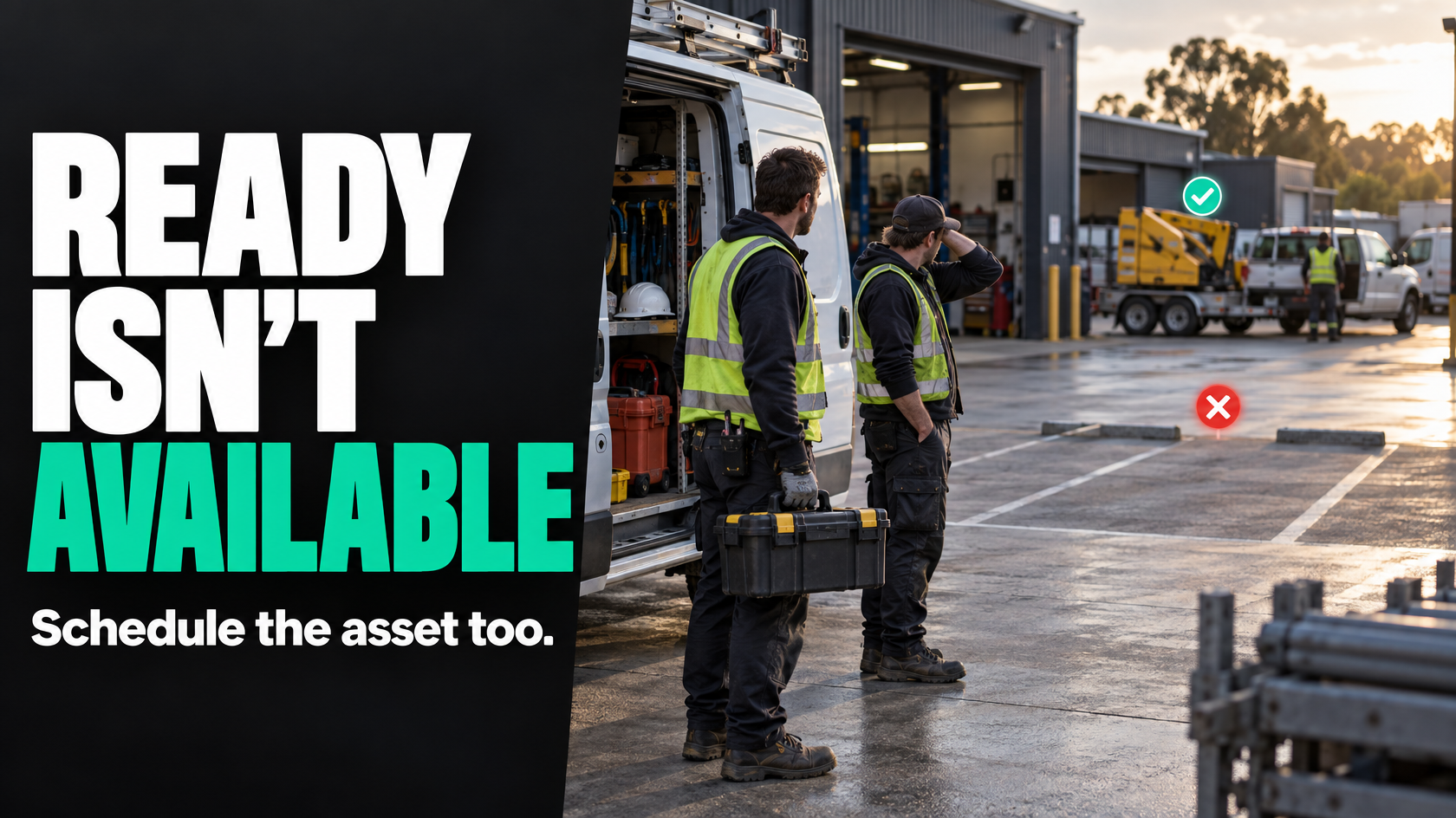
When jobs are scheduled without the resources to deliver them
A schedule can look full, organised and productive on paper while being completely unrealistic in practice.
That usually happens when jobs are booked around people and dates, but not around the equipment, vehicles or specialist assets the work actually depends on. A team arrives ready to start, then finds the access gear is already on another site, the only suitable vehicle is in for repairs, or a testing device is still with a different crew and has not been returned.
At that point, the problem is not just inconvenience. It affects dispatch, customer communication, job duration, utilisation, rework and often profitability. Office staff start making calls, supervisors reshuffle work, technicians wait around, and urgent jobs get pushed into a schedule that was never based on real capacity in the first place.
The fix is not more messages, more whiteboard notes or more reliance on people remembering where things are. Shared resources need their own workflow rules, visibility and reservation logic. If multiple jobs depend on the same limited asset, that asset has to be treated as part of the operational system, not as an afterthought.
The real problem is usually not the booking clash itself
When a vehicle or piece of equipment gets double-booked, it is easy to treat that as the main issue. Usually it is just the visible symptom.
Underneath it, one or more of these conditions tends to exist:
- nobody has defined which resources are operational constraints
- the business assumes resource availability rather than checking it
- resource allocation happens informally through calls, messages or memory
- the system can assign jobs without confirming the asset is available
- maintenance and breakdown time are not represented properly
- there is no clear rule for what happens when two jobs need the same asset
- dispatch can release a job before all required resources are actually ready
In other words, the schedule is not connected to reality strongly enough.
A workable operation needs to answer a few basic questions clearly:
- What limited resources can prevent a job from happening?
- Who can reserve them?
- When is a reservation considered confirmed?
- What makes a resource unavailable?
- What happens if a higher-priority job needs the same asset?
- At what point can a job be dispatched?
If those rules do not exist, staff end up acting as the coordination layer.
Start by identifying which resources actually constrain delivery
Not every asset needs formal scheduling. The goal is not to create a heavy process for items that are plentiful and low risk.
Start with the resources that regularly limit work or create disruption when unavailable. In operations-heavy businesses, that often includes:
- service vehicles with specific fit-outs
- elevated work platforms
- excavators, trailers or plant
- testing or diagnostic equipment
- specialised tools that exist in low numbers
- temporary power, pumping or safety gear
- loan equipment issued to customers
- specialist access hardware
- calibrated devices with compliance requirements
The important distinction is whether the resource is genuinely scarce, job-critical or operationally difficult to substitute.
For example, a standard hand tool used by every technician may not need central reservation. A single thermal imaging device required for a particular inspection process almost certainly does.
If a job cannot proceed without it, and more than one team may need it, it belongs in the workflow.
Shared resources need to be managed separately from people
A common mistake is treating asset availability as implied by the technician booking.
That works only when each person effectively has dedicated equipment and the equipment never changes. It breaks down as soon as resources are pooled, interchangeable only in some cases, or dependent on maintenance and return timing.
A technician can be available while the required asset is not. The reverse can also be true.
That is why resource booking often needs to sit alongside labour scheduling rather than inside it as an assumption. The job may require:
- one or more people
- a time window
- a location
- one or more shared resources
- supporting documents or approvals
- specific readiness conditions
Those are related, but they are not the same thing.
If the operation only schedules labour, the rest gets coordinated informally. That is where conflict starts.
Define resource types and booking rules properly
Before you can manage shared resources well, you need a clear model for how they behave.
Resource types
Different assets need different rules. A workable workflow usually separates resources into categories such as:
- individually tracked assets, like Vehicle 3 or a specific machine
- interchangeable assets, where any available unit of a type will do
- bundled resources, where several items are needed together
- location-bound resources, which must be collected from or returned to a site
- compliance-bound assets, which cannot be used if inspection or calibration is overdue
That distinction matters. Booking a specific crane is different from booking “any compliant trailer with required capacity”.
Booking rules
Each constrained resource should have explicit rules around:
- who can request it
- who can approve it, if approval is needed
- whether it can be tentatively held
- the minimum booking information required
- when the booking becomes firm
- how start and finish times are defined
- whether travel, pickup and return time are included
- whether buffer time is required between jobs
- how handover responsibility works
Without those rules, the same asset will appear available to multiple people at the same time.
A simple example is a trailer booked for an 8:00 am install. If the previous crew is expected to return it “sometime that morning”, the schedule already contains ambiguity. The booking needs a real availability window, not a guess.
Availability must include downtime, not just planned job use
One of the biggest reasons resource scheduling fails is that availability is treated as binary: booked or not booked.
In practice, there are several reasons a resource may be unavailable:
- preventive maintenance
- repairs
- breakdowns
- inspection or calibration due dates
- cleaning or reset time
- transport between locations
- late return from a previous job
- parts missing
- damage assessment
- internal hold for a priority customer or project
If the system only records the resource when it is actively assigned to a job, it creates false availability.
A vehicle might look free all afternoon, but if it is booked for servicing at 2:00 pm, it is not truly available for a job expected to run until 3:30 pm. A testing unit might appear unallocated, but if its certification has expired, dispatch should not be able to treat it as ready.
This is where many businesses end up reconstructing reality by phone. The booking screen says one thing, the workshop says another, and the field team hears something different again.
A better workflow makes unavailable states visible and operationally meaningful.
Prevent double-booking by using reservation logic, not assumptions
If multiple jobs can depend on the same asset, there needs to be a rule that prevents two jobs from both treating that asset as theirs.
That sounds obvious, but many businesses still rely on informal coordination such as:
- someone wrote it on a whiteboard
- the supervisor mentioned it in the morning
- the team leader thought they had it
- the office assumed the other job would finish early
- the resource was “usually with that crew anyway”
That is not reservation logic. That is wishful coordination.
A better model usually includes at least three concepts:
Requested
The job needs the resource, but it is not yet confirmed.Reserved
The resource is committed to that job for a defined time window.Unavailable
The resource cannot be assigned because it is booked, in maintenance, broken down or otherwise blocked.
This matters because planning and dispatch are not the same thing. A future job may require a resource before all details are final, but there still needs to be a distinction between a soft request and a firm reservation.
Without that, teams discover conflicts too late.
Link resource checks to job readiness, not just calendar booking
A job should not be considered ready for dispatch simply because it has a date and assigned people.
If the work depends on a limited resource, resource confirmation should be part of job readiness.
That means the job workflow should answer questions like:
- has the required asset been identified?
- has a specific unit or valid asset type been reserved?
- is it available for the required window?
- is it compliant and operational?
- does it need pickup, delivery or transfer?
- has handover been confirmed if another crew is returning it?
- is there a backup plan if the resource fails?
If those checks are not part of readiness, dispatch ends up releasing work that is only partially prepared.
A practical workflow often separates the job lifecycle into states such as:
- quoted
- approved
- awaiting prerequisites
- ready to schedule
- scheduled pending resource confirmation
- fully ready for dispatch
- in progress
- completed
The important point is that “scheduled” should not automatically mean “ready”.
Conflict handling needs rules before the conflict happens
Sooner or later, two important jobs will need the same resource.
If there is no predefined rule for deciding what happens next, the business falls back on politics, urgency language or whoever shouts first.
That creates inconsistency and usually wastes time.
Conflict handling works better when the business defines priority logic in advance. That may include factors such as:
- safety-critical work
- contractual response obligations
- customer impact
- revenue protection
- project dependencies
- whether another workable resource substitute exists
- whether one job can be moved with less disruption than the other
The point is not to make every decision automatic. Some conflicts need human judgement. But the escalation path should be clear.
For example:
- the scheduler identifies the clash
- the system flags both affected jobs
- the issue is escalated to the service manager or operations lead
- the decision is recorded
- both job owners are updated
- customer communication is triggered if timing changes
That is much better than discovering the conflict at 6:45 am when both crews are expecting the same asset.
Priority jobs need a controlled override process
Urgent work is one of the fastest ways to expose whether a resource workflow is sound.
An emergency callout, a critical customer issue or a project recovery task may genuinely need to displace another booking. That does not mean the process should become a free-for-all.
A controlled override process should define:
- who can authorise reallocation
- what qualifies as a valid override
- who must be notified
- what happens to the displaced job
- how customer updates are handled
- whether replacement assets or alternate dates must be proposed immediately
- how the decision is recorded for later review
If priority overrides happen regularly with no structure, the business starts training staff not to trust the schedule at all.
That is a serious operational problem. Once people stop believing the schedule reflects reality, they create their own parallel coordination methods.
Maintenance and breakdowns must be part of the same workflow
A shared asset is not just a schedulable item. It is also something that can degrade, fail or become temporarily unsafe to use.
That means maintenance and breakdown events cannot live in a completely separate world from operations.
At minimum, the workflow should make it easy to represent:
- planned servicing windows
- inspection due dates
- temporary faults
- hard breakdowns
- restricted use conditions
- quarantine until checked
- return-to-service approval
A vehicle with a fault should not still appear selectable just because nobody removed it manually. A machine due for maintenance should not remain available until someone remembers to block it out.
Good operational control comes from state changes being meaningful. If an asset moves into maintenance, breakdown or compliance-hold status, the schedule should immediately reflect that change and show affected jobs.
That does not require complicated software first. It requires clear rules around status, ownership and downstream actions.
Ownership matters more than most businesses realise
Shared resources often become everyone’s problem and therefore nobody’s responsibility.
The office assumes the field team will return and report correctly. The field team assumes the workshop tracks condition. The scheduler assumes the status in the system is current. The manager assumes someone will speak up if there is an issue.
That gap is where availability becomes unreliable.
Each constrained resource, or at least each resource class, needs operational ownership. That does not mean one person physically controls everything. It means responsibility is defined for things like:
- current status accuracy
- booking approval where required
- maintenance blocking
- return condition confirmation
- escalation when availability changes
- resolving discrepancies between system state and physical reality
Without ownership, the booking logic cannot stay trustworthy.
Good workflows account for handover and return, not just initial allocation
A resource booking does not end when the job starts. It ends when the asset is actually available for the next job.
That sounds basic, but many operations schedule based on expected finish time while ignoring return and reset steps.
For some assets, that may include:
- travel back to depot
- unload and refuel
- damage check
- battery charging
- cleaning
- recalibration
- documentation
- transfer to another crew or location
If those steps are ignored, back-to-back bookings become fragile. The second job is scheduled against theoretical availability rather than operational availability.
A better approach is to define what “available again” actually means for each resource type.
What a practical workflow might look like
A simple but effective shared-resource workflow often follows this sequence:
Job requirements are defined early
The job record includes any required shared equipment, vehicle type or specialist asset.Resource need is classified
The business determines whether the requirement is for a specific asset or any asset of a suitable type.Availability is checked before commitment
The proposed job timing is checked against existing reservations, maintenance windows and blocked periods.Reservation is created
The asset is reserved for a defined window, including buffers where needed.Job readiness is updated
The job only moves to dispatch-ready once the required resource is confirmed.Exceptions are escalated
If there is a conflict, missing availability or maintenance issue, the job moves to exception handling rather than quietly sitting in the schedule.Dispatch uses confirmed data
Crews are sent only when labour, location, documents and shared resources are all ready.Return or release is confirmed
After the job, the asset status is updated so the next booking reflects reality.
That is not about bureaucracy. It is about preventing the same avoidable disruption from recurring every week.
Common failure points to look for
If shared resources are causing scheduling problems, these are usually the places worth checking first:
- jobs can be booked without required asset fields being completed
- a resource can be allocated without a real time window
- maintenance is tracked separately and not reflected in scheduling
- asset return timing is assumed rather than confirmed
- breakdowns are recorded informally and not linked to future jobs
- dispatch can release work without resource confirmation
- there is no visible queue of resource-related exceptions
- urgent work overrides bookings without updating affected jobs properly
- nobody owns the accuracy of resource status
These are workflow design problems before they are software problems.
Technology helps once the rules are clear
Software can absolutely improve shared-resource management, especially where schedules, field work, maintenance and dispatch all interact.
But technology only helps when the business has already defined:
- what counts as a constrained resource
- which system should be the source of truth
- what statuses the asset can hold
- what events change those statuses
- who can reserve, release or block the asset
- what makes a job dispatch-ready
- how exceptions are handled
Without those rules, a new tool usually just digitises confusion.
In some businesses, the answer may be better use of existing job management or project tools. In others, it may require a separate resource register, integration between systems, or custom logic around booking and readiness. The right approach depends on how many assets are shared, how variable the jobs are, and how costly conflicts become.
The important thing is that the workflow should reflect how the operation actually runs.
What good looks like operationally
When shared-resource scheduling is working properly, the business does not need to rely on constant checking and chasing.
Good usually looks like this:
- jobs identify constrained resources early
- staff can see real availability, not guessed availability
- reservations prevent double-booking
- maintenance and breakdowns affect the schedule immediately
- dispatch only releases jobs that are genuinely ready
- priority conflicts escalate through a clear decision path
- asset return and reset are part of the workflow
- responsibility for status accuracy is visible
That creates a more reliable schedule, fewer last-minute changes and less avoidable administration.
If jobs regularly depend on shared vehicles, equipment or specialist assets, those resources need to be treated as first-class parts of the workflow. Scheduling people without scheduling the things they need is one of the quickest ways to create operational friction.
If your operation is dealing with recurring booking clashes, missing equipment or jobs that look scheduled but are not truly ready, mapping the resource workflow properly is usually the right place to start. Where that workflow spans multiple teams or systems, 5M Consulting can help design a simpler operating model that makes resource availability visible and dependable.