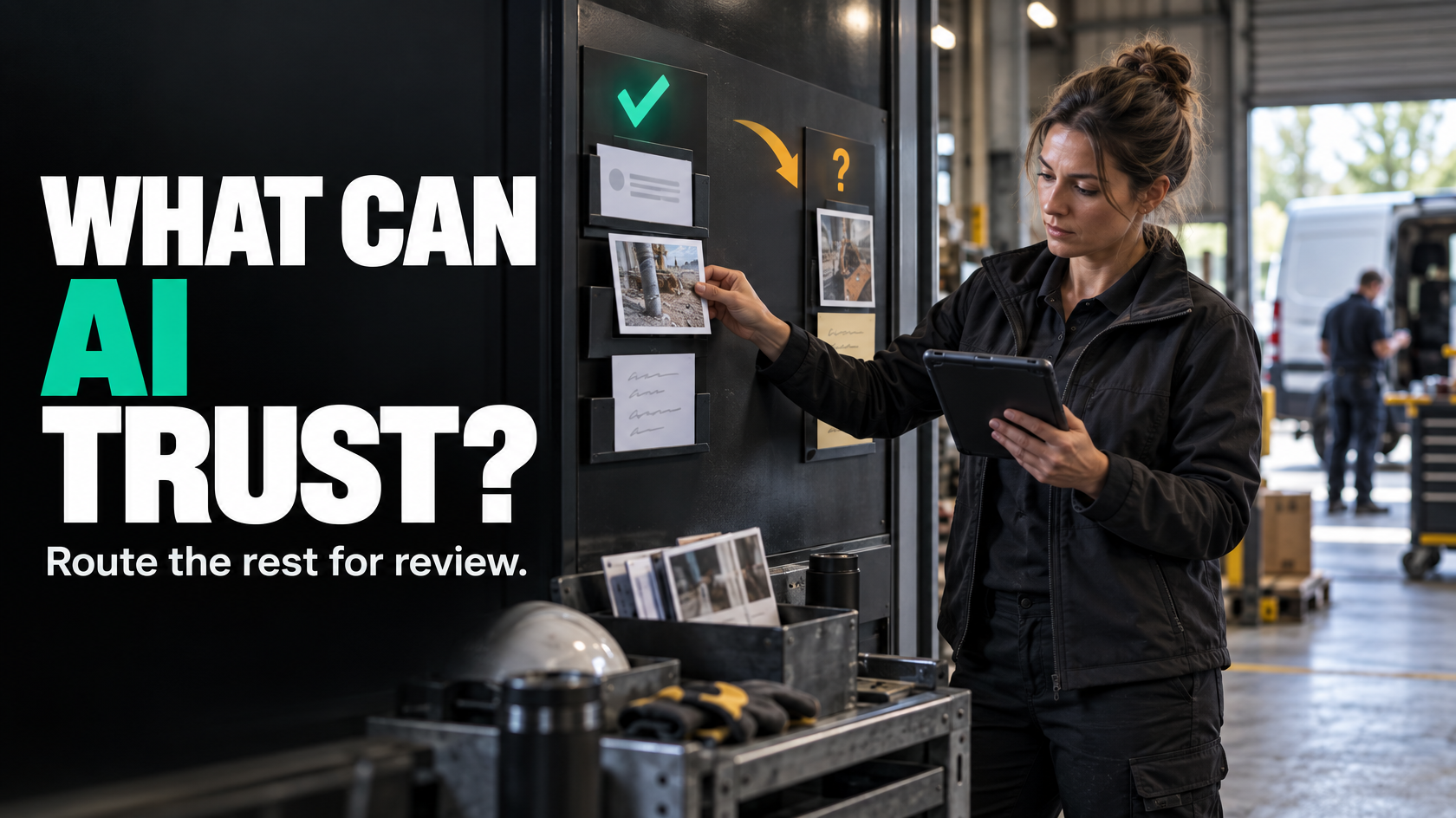
The real problem is not the data volume. It is the lack of structure
A lot of operational admin exists because important information arrives in messy forms.
A technician writes a quick note from site. Someone emails through extra instructions. A customer sends photos with no context. A project manager forwards a long email thread with one critical decision buried halfway down. An installer uploads images that show a defect, but nobody tags it properly. Later, someone in the office has to read everything, work out what matters, and manually update the job.
That is where AI becomes attractive. On paper, it looks ideal for reading notes, reviewing photos, summarising emails and pulling out the useful parts.
Sometimes it is.
But the question is not whether AI can read unstructured information. The question is whether it can do something operationally reliable with it.
If the output is vague, unverified or disconnected from the rest of the workflow, you have not solved the admin problem. You have just moved it.
Where AI is genuinely useful with job notes, photos and messages
AI is most useful when the job is narrow, the expected output is clear, and the result feeds a structured process.
In practice, that usually means one of three things:
- summarising information
- extracting specific fields
- classifying the content into a defined category
These are different jobs. Treating them as the same is where a lot of poor implementations begin.
Summarising messy communication
Summarisation can be useful when people need a quick operational view of a long thread or a bundle of updates.
For example:
- condensing a long customer email chain into the current issue, next action and outstanding decision
- summarising technician notes from multiple site visits into a short service history
- turning several internal messages into a handover note for the next team
This can reduce reading time, especially where the original communication is long, repetitive or inconsistent.
But the value depends on what happens next. A summary sitting in a side panel is only mildly useful. A summary that helps someone quickly decide whether the job can be invoiced, rescheduled, escalated or closed is much more useful.
Extracting fields from unstructured inputs
Extraction is often the more practical use case.
Instead of asking AI to “understand the job”, you ask it to identify specific pieces of information such as:
- job address
- customer name
- asset or equipment type
- reported issue
- attendance date
- parts used
- follow-up required
- defect severity
- completion status
- whether a variation was mentioned
This is valuable because structured fields can drive actual workflow.
If the system knows a note indicates “return visit required”, that can trigger scheduling. If it detects “customer approved extra works”, that can send the job for review. If it pulls out missing compliance photos, that can prevent the job from moving to invoicing until the required evidence is present.
The output becomes useful when it updates a source of truth rather than living as an isolated AI comment.
Classifying issues
Classification works well when there is a defined list of categories and each category has a known next action.
Examples include:
- defect vs completion update
- warranty issue vs new chargeable work
- customer complaint vs routine enquiry
- safety risk vs admin issue
- photo evidence complete vs incomplete
This can help triage work faster, especially when incoming information needs to be routed to different people.
Again, the key is not the classification itself. It is what the classification triggers.
If AI labels something as a defect but nobody is assigned to review defects, nothing improves.
When AI is the wrong fix
AI can be useful, but it is often applied to problems that are really process failures.
If people are writing long, inconsistent notes because there is no defined site-completion process, adding AI on top may help a little, but it will not create operational clarity.
Some common examples:
The technician note is doing too many jobs
A free-text note often ends up carrying everything:
- work completed
- issues found
- customer conversations
- materials used
- approval status
- safety observations
- reasons for delay
- follow-up requirements
That is not one data type. It is several different operational inputs mixed together.
If the business needs those items separately, the better fix may be to redesign the completion workflow so each piece is captured in the right place. AI may still help interpret the note, but it should not be compensating indefinitely for a form that was never designed properly.
The email thread is standing in for a process
Sometimes a business says it wants AI to monitor inboxes, but the real issue is that key approvals and job changes are happening informally through email with no structured update path.
If an approved variation, date change or site access issue only exists inside an email thread, AI is not solving the actual problem. The process should require that those decisions be captured in the operational system.
Otherwise the business still depends on someone noticing the message, interpreting it correctly and updating the job.
Photos are being used without standards
AI image analysis sounds useful until you discover that site photos vary wildly in angle, quality, naming and purpose.
If there is no standard for what photos are required, when they must be taken, or how they relate to the job stage, AI has very little reliable context. It may still identify obvious patterns, but it will struggle to produce dependable operational outputs.
In many cases, the first improvement is simpler:
- define required photo types
- tie them to stages or checklists
- require captions or selection from standard categories
- prevent stage completion when mandatory evidence is missing
Then consider whether AI adds value on top.
A simple decision test: what exactly do you want the AI to produce?
Before using AI on notes, photos or messages, define the output.
A useful test is to ask:
- What input is the AI reading?
- What exact output do we want?
- Where will that output live?
- What action will it trigger?
- Who is responsible if the output is wrong?
If those questions are hard to answer, the workflow is probably not ready.
Good AI use cases usually have outputs such as:
- a short summary for internal review
- a suggested job status
- extracted fields for structured records
- a defect category
- a flag for missing information
- a draft response for staff approval
Poor AI use cases usually sound like:
- “understand what is happening”
- “work out what matters”
- “manage the inbox”
- “read all the photos and tell us what to do”
Those are not defined outputs. They are vague expectations.
Ambiguity is where risk starts
Unstructured communication often contains uncertainty, incomplete context or language that could mean different things to different people.
That matters because many operational decisions are not just administrative. They may affect money, customer commitments, safety, liability or compliance.
Examples of high-risk ambiguity include:
- a technician note saying “customer happy to proceed” without clarifying what was approved
- an email that appears to confirm a date change but is actually proposing one
- photos that suggest damage but do not clearly show whether it is pre-existing
- a customer message that sounds like a complaint but is really a request for information
- a note that references “done” when only one stage is complete
AI can still assist in these situations, but it should not be the final authority unless the task is tightly bounded and the business accepts the risk.
Where meaning affects scope, contractual interpretation, approvals, safety or compliance, explicit human review is often necessary.
Confidence thresholds matter more than enthusiasm
One of the most practical ways to use AI safely is to stop thinking in binary terms.
The choice is not just:
- let AI handle it
- do not use AI at all
A better model is:
- let AI process the input
- define confidence thresholds
- route uncertain cases for review
- only allow trusted outputs to trigger specific actions
For example:
- high-confidence extraction of a job address might update a draft field
- moderate-confidence classification of a defect might create a review task
- low-confidence interpretation of customer approval should trigger no action without human confirmation
This matters because not all mistakes have the same consequence.
A slightly imperfect summary may be acceptable if a coordinator still reads the original thread before making a decision. Misreading a scope approval or a compliance issue is a different category of risk.
Confidence handling should be designed around consequence, not technical novelty.
Human review should be designed, not improvised
Saying “a human will check it” is not enough.
If AI is part of the workflow, the review step needs structure:
- Who reviews the output?
- What are they checking?
- At what stage do they check it?
- What happens if they disagree with it?
- Does the system record that the review occurred?
- Can the job progress without review?
Without those rules, review becomes another vague responsibility that staff perform inconsistently.
A practical example is a technician completion note that AI turns into:
- completion summary
- materials list
- follow-up flag
- suggested invoice readiness
That can work well if the office team is required to confirm the extracted values before the job moves to invoicing. It works poorly if the output is assumed to be correct and nobody owns the validation step.
AI outputs should not sit in isolation
One of the most common mistakes is generating AI outputs that nobody operationally uses.
A summary inside an inbox tool, a classification inside a separate AI dashboard, or extracted data in a disconnected spreadsheet may look clever, but it does not improve the job flow unless it updates the actual working system.
Useful AI outputs usually need to feed into structured records such as:
- job status
- task queues
- follow-up actions
- required document lists
- issue categories
- internal handover notes
- review flags
- customer communication drafts
The goal is not to create another place where information exists. The goal is to reduce the gap between unstructured input and structured operational action.
That means deciding where the source of truth lives.
If job status lives in the job management system, AI should not create a parallel version of status somewhere else. It should assist in updating the real one, with the right controls.
Photos need special caution
Site photos are one of the more interesting AI inputs because they often contain useful evidence, but they are also easy to over-trust.
AI may be able to help with things like:
- identifying whether required photo types appear to be present
- grouping similar images
- flagging obvious visible defects
- detecting whether photos are likely before, during or after work
- checking whether documentation is incomplete
But photo interpretation becomes risky when the business expects AI to make calls that depend on context it may not have.
A photo rarely tells the whole operational story. It may not show scale, sequence, cause, prior condition, hidden issues or whether a requirement has genuinely been met.
If photos feed contractual claims, safety sign-off, warranty decisions or compliance records, they usually need clearer standards and human oversight.
The question is not whether AI can analyse an image. It is whether the business can rely on that interpretation for the decision being made.
Emails and messages are useful inputs, but poor masters
Email threads and customer messages often contain important updates, but they are a weak foundation for operational control.
They are useful as inputs because AI can help surface key details from them. They are poor masters because they are informal, fragmented and easy to misread.
A better pattern is:
- AI reads the thread or message.
- It extracts or summarises the operationally relevant items.
- Those items are presented for review if needed.
- Approved information updates the structured system.
- The workflow continues from the structured system, not the inbox.
That reduces the common problem where staff keep returning to the email thread to work out what is happening.
A practical framework for deciding whether to use AI
If you are considering AI for job notes, photos or emails, work through these questions.
1. Is the input genuinely unstructured, or just badly captured?
If the same information should always be collected in the same way, fix the capture process first.
For example, if every completed job needs labour, materials, completion status and customer sign-off, those should probably be fields or checklist items, not just free text.
2. Is the task narrow enough?
Good candidates are tasks like:
- summarise this thread
- extract these five fields
- classify this into one of four categories
- flag whether required evidence appears missing
Poor candidates are vague tasks that rely on broad interpretation.
3. What is the consequence of a wrong answer?
If the output affects billing, scope approval, legal exposure, safety or compliance, you need stronger controls.
4. Can you define a review rule?
If the AI is uncertain, ambiguous or handling a high-risk category, who checks it?
5. Does the output feed a real workflow?
If the result does not update a system, create a task, block a stage or support a defined decision, it may not be worth doing.
6. Are you improving the process or just compensating for it?
AI can reduce admin around messy communication, but it should not become a permanent substitute for basic workflow design.
What good looks like operationally
A sensible implementation usually looks less dramatic than people expect.
It might be as simple as this:
- technicians still add notes and upload photos
- the workflow asks for a few key structured fields at source
- AI reads the remaining free text and attachments
- it produces a summary, extracts likely values and flags issues
- anything uncertain or high-risk goes to a reviewer
- approved outputs update the job record
- the job moves forward based on system state, not memory
That is useful because it reduces manual reading and rekeying without pretending AI has perfect understanding.
It also makes the role of AI clear. It assists with interpretation of messy inputs. It does not replace operational ownership.
The best question to ask is not “can AI read this?”
AI usually can read it.
The better question is: should the business rely on what it produces?
If the workflow is unclear, the outputs are undefined, and nobody owns review, AI will add another layer of ambiguity.
If the process is clear, the task is narrow, the outputs are structured, and the review rules are sensible, AI can remove a real amount of administrative friction from job communication.
That is usually where it earns its place.
If your job workflow is full of notes, photos, emails and messages that people keep manually translating into action, it is worth mapping where that information should become structured, what can be safely assisted by AI, and what still needs explicit human judgement. That is the kind of operational design work 5M Consulting helps businesses think through before another tool gets added on top.