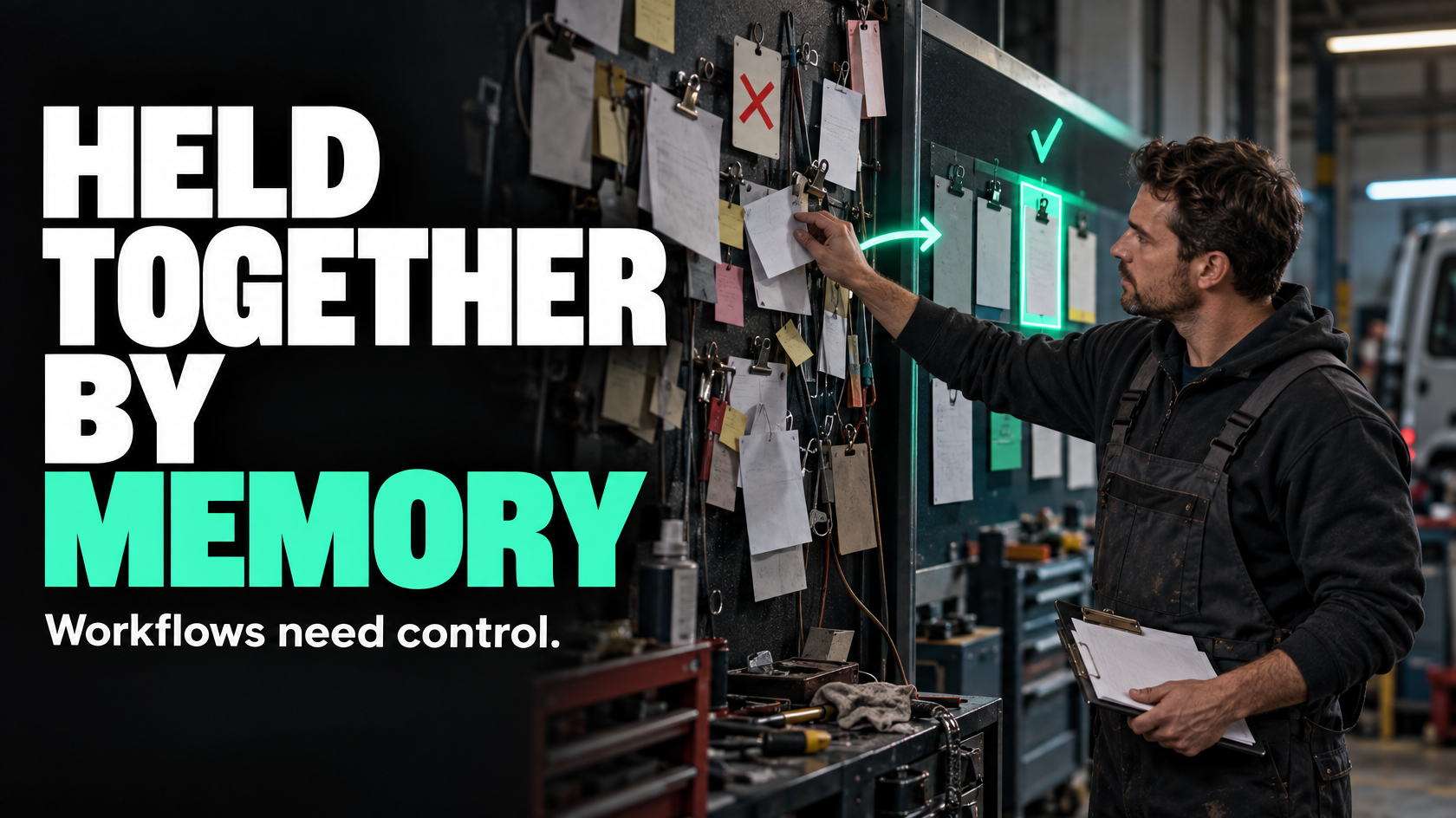
When basic tools stop being operational tools and start becoming workarounds
Email, PDFs and shared spreadsheets are useful for simple coordination. They are often the quickest way to get a process off the ground.
The problem is that many businesses keep stretching those tools long after the workflow has outgrown them.
At first, it looks manageable:
- someone emails a request
- a PDF form gets filled out
- details are copied into a spreadsheet
- another team member reviews it
- someone follows up if anything is missing
That can work when volume is low, the process is simple and the same person keeps an eye on it.
It starts to break down when the business needs the process to run reliably without constant chasing, manual checking or individual memory.
An internal operations app is usually justified when the real issue is no longer “how do we record this task?” but “how do we control this workflow properly?”
What an internal operations app should replace
An internal operations app should not be built just to replace a single form, a spreadsheet tab or an email template.
It should replace a system gap.
That means the app becomes the place where a recurring internal process is managed with clear rules, status, ownership and handovers.
Typical examples include:
- approvals that need context, attachments and decision history
- field data capture that must be complete before work can move forward
- controlled handovers between sales, operations, delivery and finance
- exception queues where unusual cases need human review
- internal service requests between teams
- document generation based on structured operational data
- role-based views where different staff should only see and do what is relevant to them
If the business is forcing one of these workflows through inboxes, PDFs and spreadsheets, the issue is usually not the document format. It is that the workflow has no proper operating layer.
The practical signs your current tools have hit their limit
Most businesses do not wake up one morning and decide they need an internal app. They get there because the same friction keeps appearing.
Some of the clearest buying signals are operational rather than technical.
1. The process depends on people remembering what happens next
If a request comes in by email, gets attached to a PDF, then sits in a spreadsheet until someone notices it, the workflow has no reliable trigger.
The process is being held together by staff memory.
That creates predictable problems:
- requests stall quietly
- follow-ups are inconsistent
- approvals are missed
- handovers happen late
- nobody is fully sure who owns the next step
An internal operations app becomes useful when the next action should be driven by system state, not by whether someone remembered to send another email.
2. The same information is entered or checked multiple times
PDFs and spreadsheets often create double handling.
A team member collects information in one place, retypes it into another, then checks whether the latest version is still correct. That wastes time, but more importantly it introduces ambiguity.
Which version is current? Which spreadsheet is the source of truth? Did finance receive the updated figure or the old one? Was the revised scope reflected in the approval?
If the business is constantly reconciling versions, it may need a better system structure rather than better admin discipline.
3. Different roles need different actions, but everyone sees the same mess
Shared spreadsheets are blunt tools. They expose everything to everyone and rarely make the correct next step obvious.
In a more mature workflow, the field team may need to submit site photos and completion details. A supervisor may need to review exceptions. Finance may only need approved values and sign-off status. Management may need visibility without editing rights.
That is where role-based views start to matter. Not because they are technically impressive, but because they reduce confusion and make responsibility clearer.
4. The process has exceptions that cannot be handled cleanly
Simple tools work best when the path is linear.
Real operations often are not.
A form might be missing documents. A job might need manager approval because the value changed. A request may need to go back for clarification before it can proceed. A field record may be incomplete but still urgent enough to review manually.
When exceptions become common, email threads and spreadsheets turn into a poor substitute for an exception-handling system.
A proper internal app can separate standard flow from exception flow:
- normal cases progress automatically
- incomplete or unusual cases are routed into a review queue
- responsibility for resolving them is visible
- decisions are recorded against the actual item, not buried in inboxes
5. Audit trail and accountability matter
If a process affects billing, compliance, payroll, approvals, customer commitments or operational risk, “it was in an email somewhere” is not much of a control.
An internal app is often justified when the business needs to know:
- who submitted the request
- what information was provided at the time
- who approved or rejected it
- what changed
- when it moved to the next stage
That is not about enterprise complexity. It is about operational reliability.
Where internal operations apps add the most value
Not every internal process needs custom software. But some workflow types are repeatedly awkward in basic tools.
Approvals with context
Approvals often fail when the approver receives too little information or too much unstructured information.
A finance manager approving a variation, for example, may need:
- the original approved amount
- the new amount
- the reason for change
- photos or supporting documents
- who requested it
- whether the job has already started
That is difficult to control through email chains and attachments. An internal app can present the relevant context in one place, record the decision and trigger the next step.
Field data capture
Field teams often collect information in inconsistent ways unless the workflow is structured.
If a technician finishes a job and sends photos by text, notes by email and a signed form as a PDF, the office has to reconstruct the job record afterward.
An internal app can enforce required fields, guide the user through the right sequence and prevent a job from being marked complete until the key information is present. That improves invoicing, payroll, documentation and customer follow-up downstream.
Controlled handovers
One of the most common operational gaps is the handover between teams.
Sales thinks the job is won. Operations thinks it is still waiting on information. Finance does not know whether to raise a deposit invoice. The field team gets assigned without the latest scope.
This is where an internal app can do more than record data. It can control readiness.
For example, a job only moves from sales to delivery once required documents, approved scope, scheduling details and internal ownership are all in place.
That is different from simply “sharing a spreadsheet update”. It is a controlled transition.
Exception queues
Many processes need a place for work that cannot continue normally.
Examples include:
- missing site photos
- incomplete installation records
- payout claims that do not match approved scope
- requests that exceed delegated approval limits
- forms that fail validation rules
Without a structured exception queue, these items disappear into inboxes or sit unresolved in notes columns.
An internal app can surface exceptions explicitly, assign ownership and stop them being confused with standard work.
Internal service requests
Internal requests often begin simply and become messy over time.
A branch requests support from head office. A team asks for stock allocation. Operations requests a system change. Finance asks for missing job details before invoicing.
If these are all submitted by email, triaged manually and tracked in spreadsheets, the process quickly becomes dependent on whichever staff member is best at remembering loose ends.
An app can standardise request intake, triage, status and completion without forcing the whole business into a heavy ticketing platform.
Document generation from live operational data
If staff repeatedly build the same documents manually using information copied from multiple places, that is another common system gap.
Quotes, work orders, handover packs, approval summaries and internal check sheets are all easier to generate when the underlying data is structured and current.
The value is not just speed. It is consistency and fewer errors caused by rekeying or using outdated templates.
The risk of forcing complex workflows through email, PDFs and spreadsheets
The danger is not that these tools are inherently bad. The danger is that they make complex workflows look deceptively manageable.
A spreadsheet can appear to provide control because it contains rows, statuses and notes. But it often does not answer the operational questions that matter:
- What event should move this to the next stage?
- What must be complete before that can happen?
- Who owns it right now?
- What happens if required information is missing?
- Which fields should be editable by which role?
- How do we know whether this is the latest version?
- What happens when the normal path fails?
Email, PDFs and spreadsheets are usually weak at enforcing process, handling exceptions and maintaining a reliable source of truth across multiple roles.
That leads to familiar consequences:
- work gets stuck without visibility
- staff chase information the system should already contain
- approvals happen without full context
- rework increases because inputs are incomplete
- reporting becomes a reconstruction exercise
- key knowledge sits with individuals rather than in the workflow
A simple decision framework: spreadsheet, standard SaaS workflow or internal app?
The right choice depends on how much control the workflow actually needs.
Use spreadsheets when the process is light and low risk
A spreadsheet is often enough when:
- the workflow is simple
- volume is low
- only one or two people manage it
- the consequences of delay or error are minor
- there are few exceptions
- formal approvals or audit trail are not critical
Spreadsheets are good for tracking. They are usually poor at enforcing process.
Use standard SaaS workflow tools when the process is structured but not highly specialised
A standard platform may be enough when:
- the workflow is reasonably common
- the business can adapt to the platform's logic
- the approval path is straightforward
- the forms and statuses are not overly specialised
- integration needs are moderate
- the process does not require unusual role behaviour or custom rules
This can be the right middle ground if the workflow needs more structure than a spreadsheet but does not justify bespoke functionality.
Use an internal operations app when the workflow needs operational control
An internal app becomes more compelling when:
- the process crosses multiple teams
- roles need different views and actions
- progression depends on rules, validation or readiness checks
- exceptions are common and must be managed explicitly
- audit trail matters
- staff are repeatedly re-entering or reconciling data
- the process is core to how the business operates
- forcing it into generic tools creates ongoing friction or unreliable workarounds
That does not automatically mean building something large. It means the workflow likely needs dedicated operational logic rather than another shared file and a better naming convention.
Questions to test whether an internal app is justified
Before scoping anything, it helps to pressure-test the need.
Ask:
- Is the pain caused by volume, complexity or poor process design?
- Are we trying to replace a repetitive manual task, or fix a workflow that has no proper system owner?
- What information should be captured once and reused downstream?
- Which team or system should be the source of truth?
- What events should trigger the next action?
- What must be validated before the work can progress?
- Where do exceptions occur, and how should they be handled?
- Which decisions should remain human?
- Do different roles need different screens, actions or permissions?
- Could the workflow be solved by better configuration or integration in existing systems instead?
These questions matter because not every bad spreadsheet points to a custom app. Sometimes the real issue is that the workflow was never defined properly in the first place.
Replacing a task is different from replacing a system gap
This is an important distinction.
If staff are wasting time copying values from one document to another, that may be a task problem. It might be solved with a template, a form improvement or an integration.
If the broader issue is that nobody can reliably see status, ownership, readiness, exceptions and approvals across the workflow, that is a system problem.
An internal operations app makes sense when the business needs a proper operating layer for a recurring internal process.
In other words:
- replacing a task saves effort
- replacing a system gap improves control
The second is usually where internal apps create the most value.
What to define before scoping an internal app project
The quality of an internal app depends heavily on whether the workflow has been thought through before anyone starts building.
At a minimum, define:
The workflow states
What are the actual stages the item moves through?
Not vague labels like “in progress”, but meaningful operational states such as:
- submitted
- awaiting documents
- ready for review
- approved
- rejected
- scheduled
- completed
- exception review
Ownership at each stage
Who is responsible when the item is in each state?
If ownership is unclear, software will not fix that.
Required information and validation rules
What must be captured? What is optional? What should block progression if missing?
Triggers and next actions
What should happen when a status changes? Who should be notified? Should a document be generated? Should another system be updated?
Exception paths
What happens when the normal process cannot continue? Who reviews exceptions? How are they resolved?
Sources of truth
Which system should own which data? Should the app store the master record, or should it sit on top of other systems?
This is especially important if the workflow touches CRM, job management, payroll, inventory or finance platforms.
Reporting and visibility needs
What do managers need to see? What do operational staff need to act on? What should be visible without allowing accidental edits?
These definitions are often more important than the choice of technology.
What good looks like
A good internal operations app does not just digitise an existing mess.
It makes the process clearer and more reliable.
In practical terms, good looks like:
- information is captured once, in the right place
- the next action is obvious
- ownership is visible
- incomplete work cannot quietly progress as if it were complete
- exceptions are separated from standard flow
- approvals happen with context
- documents are generated from current data
- different roles see what they need without unnecessary clutter
- managers can see bottlenecks without chasing updates manually
That is the real replacement for email threads, PDFs and shared spreadsheets: not a nicer interface, but a better operating model.
The decision is usually about workflow maturity, not software fashion
If a process is simple, occasional and low risk, keep it simple.
If the business is dealing with recurring friction across approvals, field capture, handovers, internal requests or exception handling, an internal operations app may be the more sensible solution.
The key question is not whether custom software sounds appealing. It is whether the current tools are forcing people to compensate for a workflow that has outgrown them.
When that starts happening repeatedly, the better move is usually to map the process properly, define ownership and triggers, and work out whether the gap should be solved with configuration, integration or a dedicated internal app.
If that assessment is difficult because the workflow spans teams, systems and exceptions, that is often the point where external systems design support becomes useful. 5M Consulting helps businesses map these operational gaps and determine whether the right answer is process redesign, integration or a purpose-built internal solution.